UX Redesign & Web Development

Langner GM Website
Redesign

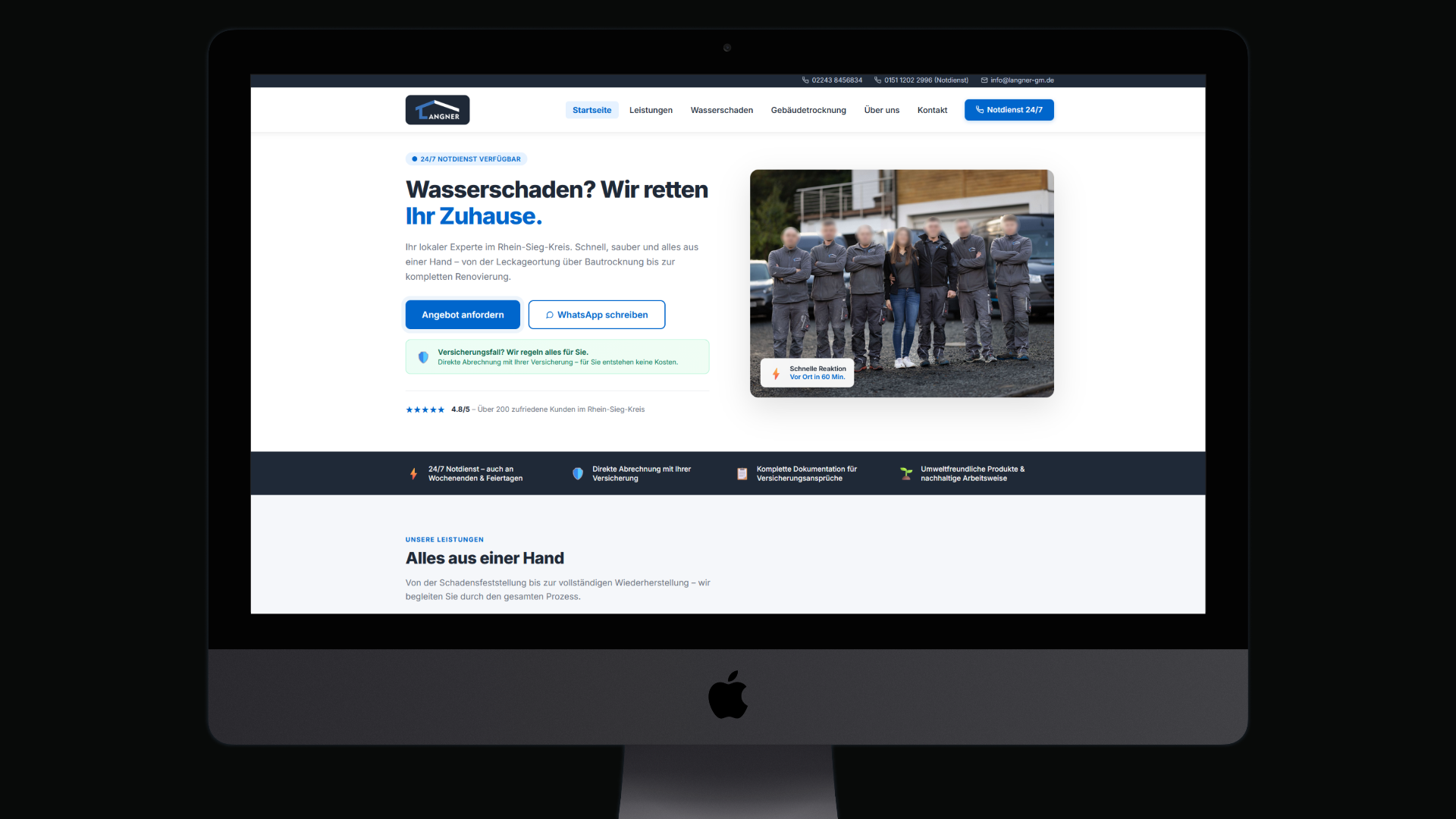
Conversion-oriented redesign of a service company website with improved information architecture, clearer contact flow and a structured UX funnel.
Langner GM Website Redesign
UX ResearchInformation ArchitectureConversion OptimizationReactVite
01 · Project Context

Orientation & Starting Point

Langner GM is a local service company specializing in water damage restoration and building drying.

Industry
Gebäudemanagement · B2C
Task
UX Redesign & Entwicklung
Role
UX Strategie · Design · Dev
Stack
React · Vite · Figma
02 · Problem

What went wrong

The previous website did not effectively communicate the service value and made it difficult for users to quickly contact the company in urgent situations.
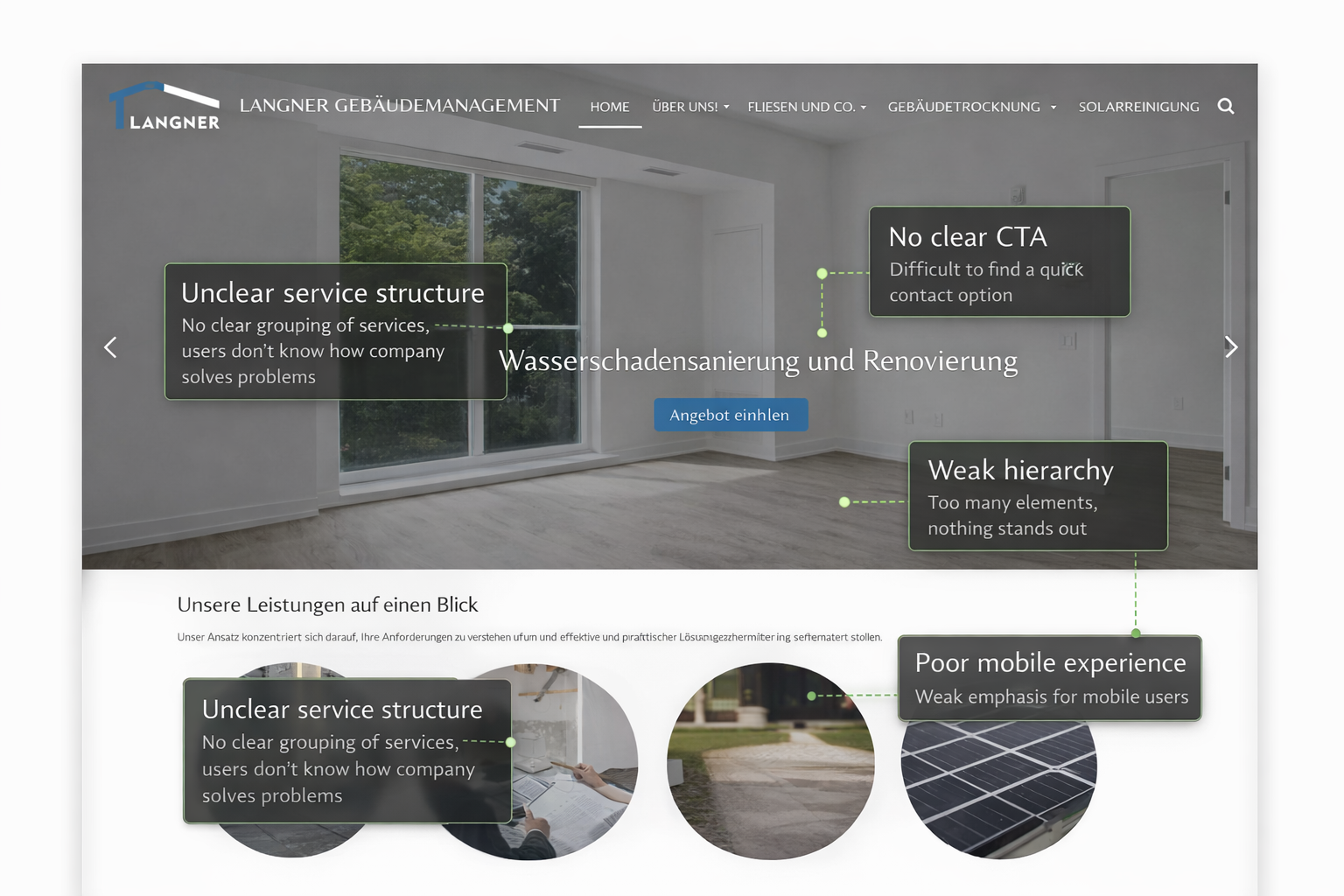
Unclear service structure
Services were not clearly grouped — users couldn't immediately understand what problems the company solves.
Hard-to-find contact options
CTA elements were missing in critical moments — no instant emergency contact, no WhatsApp option.
Weak visual hierarchy
No clear prioritization of content. Everything looked equally important — so nothing stood out.
Poor mobile experience
Mobile users — the primary audience in emergencies — had no optimized navigation or contact flow.
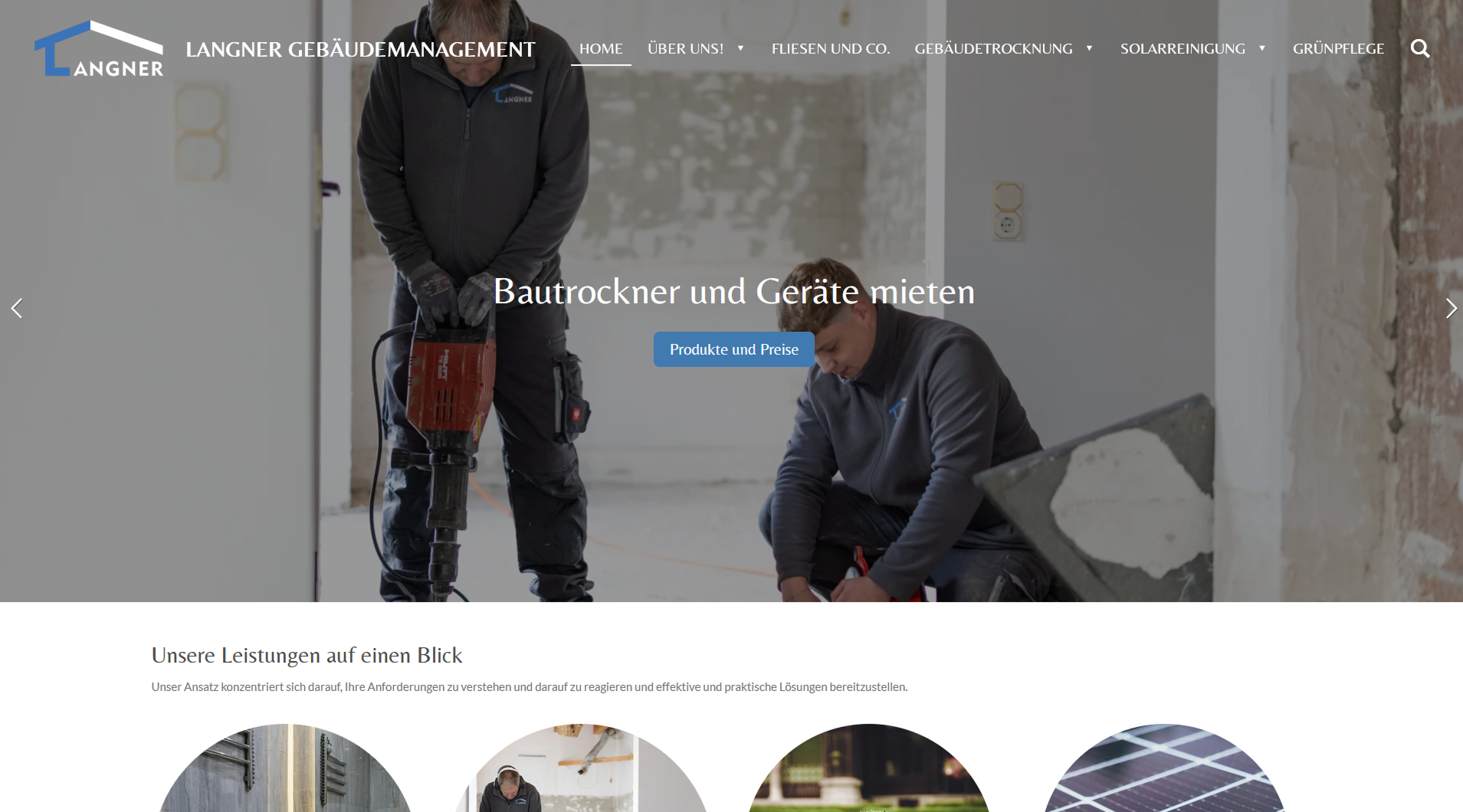
Alte Website Screenshot
// X-Ray: Alte Website — Screenshot
03 · UX Analysis

Why it failed

Structural diagnosis of core problems — not as a list of errors, but as a causal analysis: Cause → Effect → Solution.

Users needed to reach contact options within seconds, especially in emergency situations such as water damage.
// 01
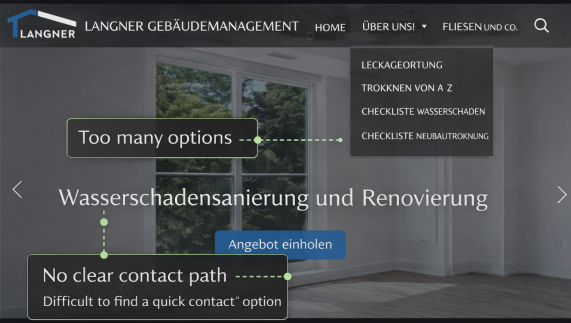
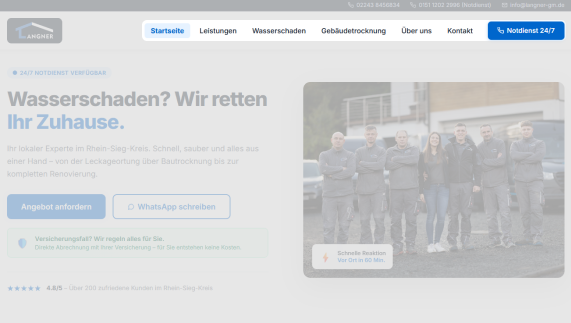
navigation structure
Before (Common Issues) —Unclear service structure
After —Flat structure with a maximum of 5 main items. Emergency contact permanently visible in the header.
Before: navigation structure
After: navigation structure
// 02
information hierarchy
Before (Common Issues) —Hard-to-find contact options
After —Clear H1→H2→CTA sequence. Each section has one primary goal and guides to the next action.
Before: information hierarchy
After: information hierarchy
// 03
contact flow
Before (Common Issues) —Weak visual hierarchy
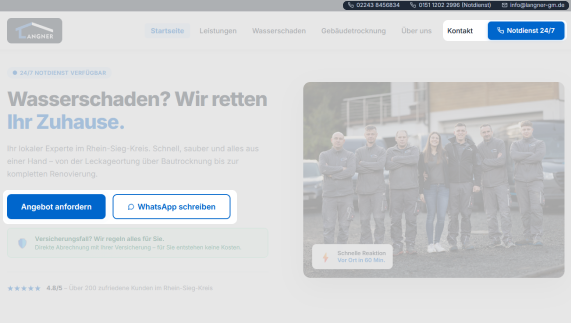
After —Multi-channel contact: Sticky CTA, WhatsApp button, direct call — always one tap away.
Before: contact flow
After: contact flow
04 · Strategy

The Blueprint

Goal: Guide users directly toward contacting the company.

01
simplified navigation
Structure page into logical content blocks — Service → Trust → Contact. Users immediately find what they need.
02
clear service categories
Optimize all critical interactions for the emergency user: fast load time, immediate contact option, touch-friendly CTAs.
03
prominent contact buttons
Strategically use reviews, response time, insurance partners, and team photos — build trust in seconds.
04
improved mobile-first structure
Each section leads to the next action. No dead ends on the page — always a clear next step for the user.
05
stronger visual hierarchy
05 · Design Process

The Blueprint

01
Discovery & Audit
Analysis of the old website, target audience research, and competitor analysis. Identification of critical UX breaking points.
02
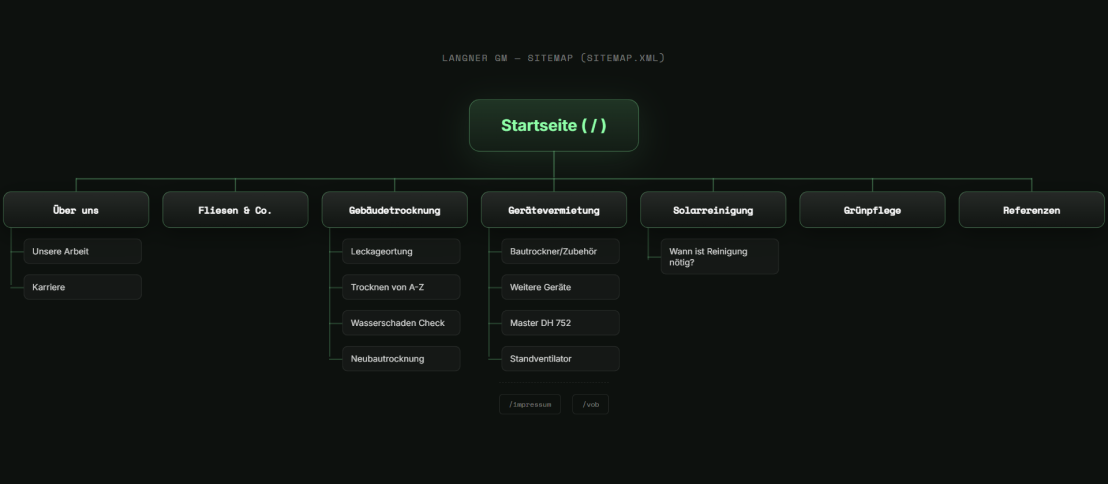
Information Architecture
Defining sitemaps and user flows. What content belongs on which level — and in what sequence is it presented?
Information Architecture
03
Wireframing & Prototyping
Low-fidelity wireframes in Figma. Testing structural decisions before visual design begins.
Wireframing & Prototyping
04
High-Fidelity Design & Development
Final design in Figma, followed by clean implementation in React + Vite with a mobile-first approach and performance optimization.
High-Fidelity Design
06 · Key UX Decisions

Key UX Decisions

Every decision follows a clear logic: Problem → Solution → Measurable Effect.

// Decision 01
Sticky SOS Header
Problem
Ensured the emergency service number (Notdienst) stays visible during scroll, reducing response time for users in high-stress situations.
// Decision 02
WhatsApp Direct Contact
Problem
Integrated a prominent messaging option, allowing users to instantly send photos of damages for faster preliminary assessment.
// Decision 03
Insurance Integration Focus
Problem
Strategically placed 'Direct Settlement' labels near service titles to build trust and remove financial anxiety at first point of contact.
// Decision 04
Mobile-First Interaction
Problem
Optimized all interactive elements for one-handed mobile use, anticipating a high volume of emergency smartphone lookups on-site.
07 · UX Solution

The Final Result

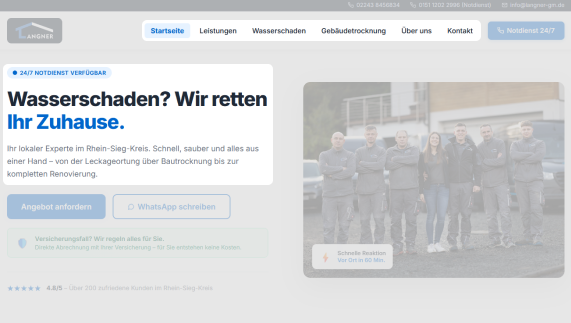
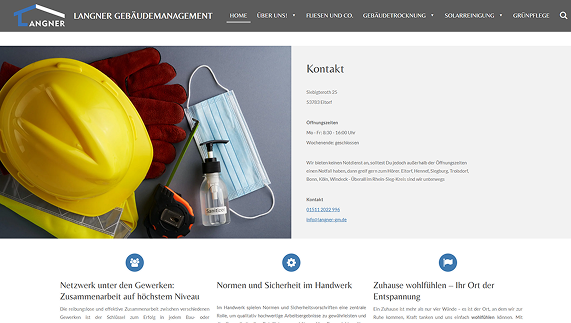
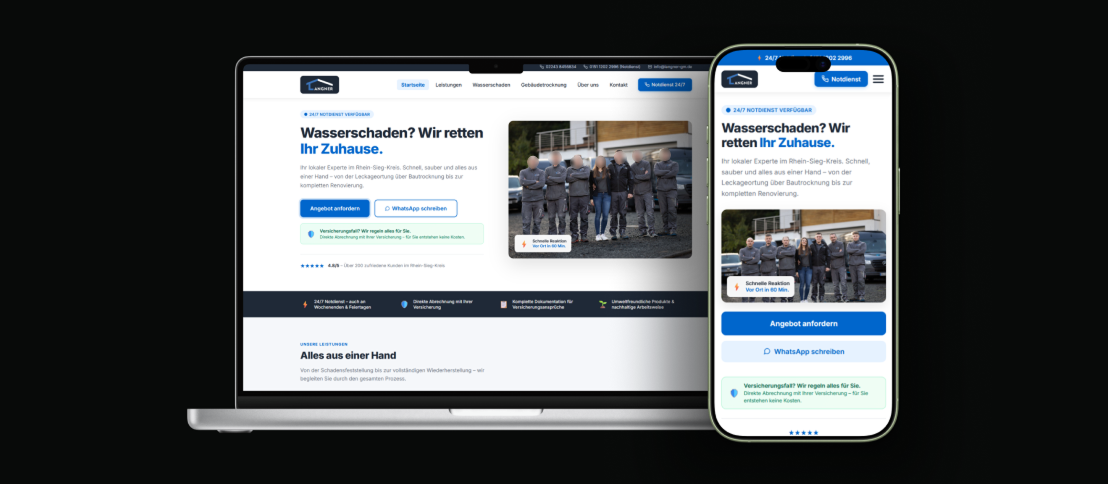
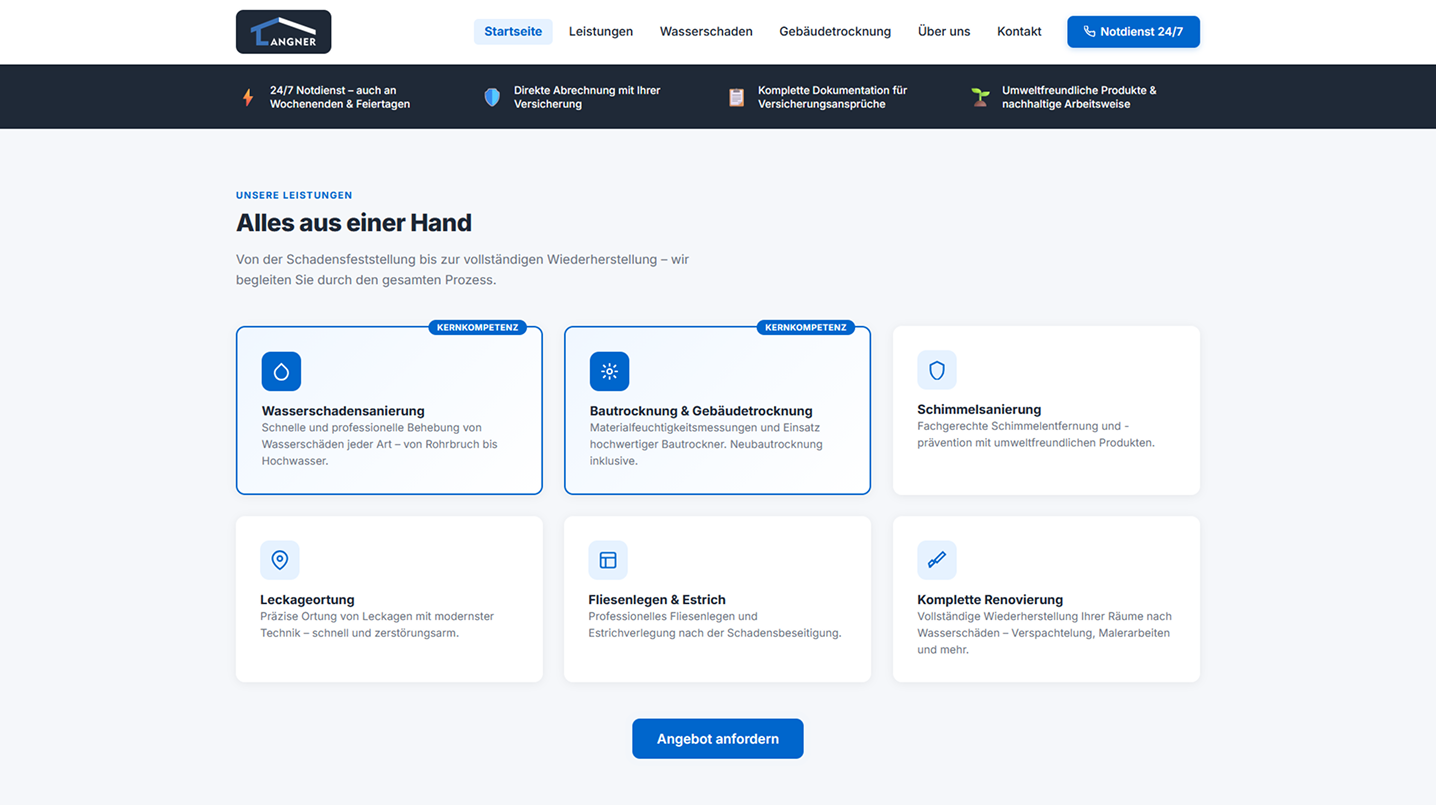
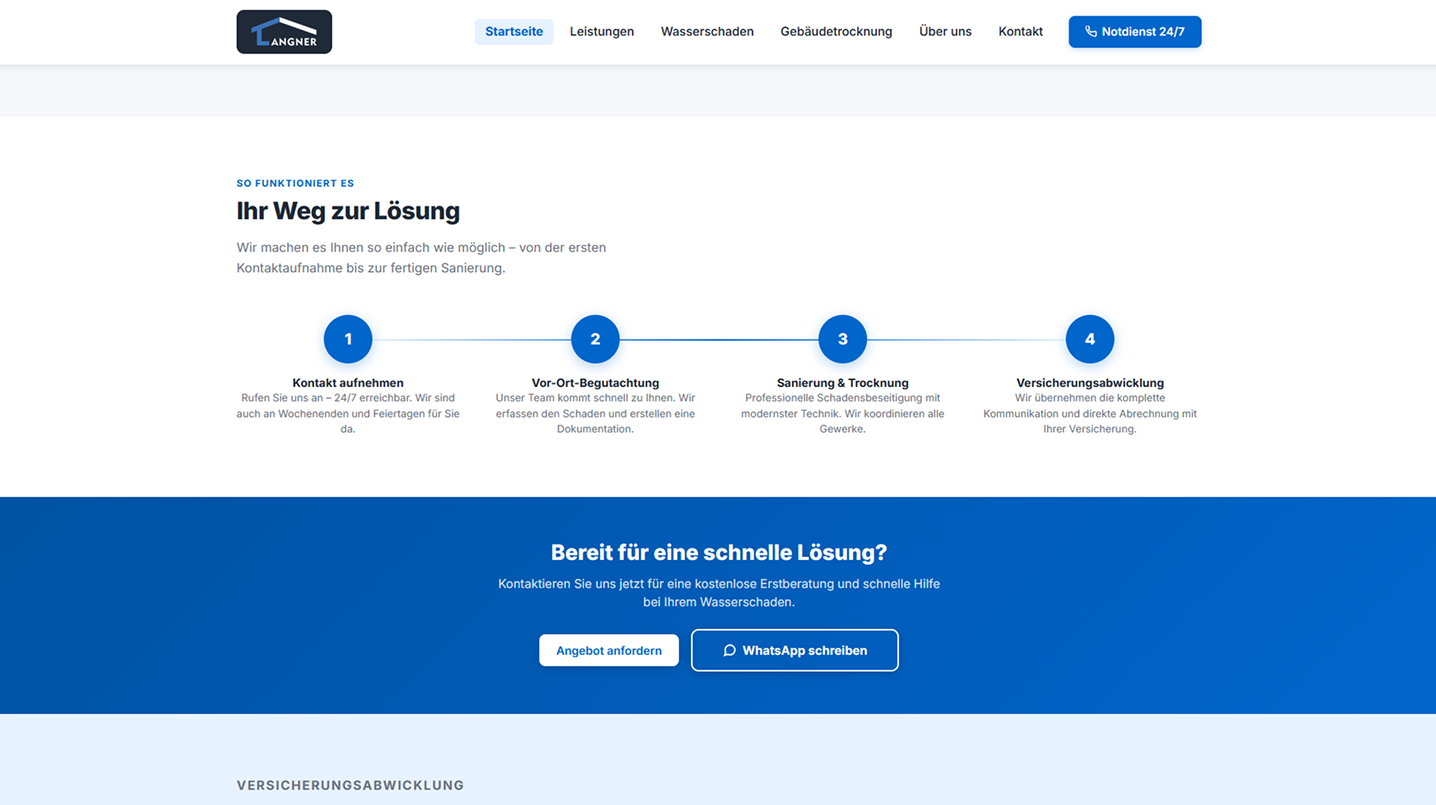
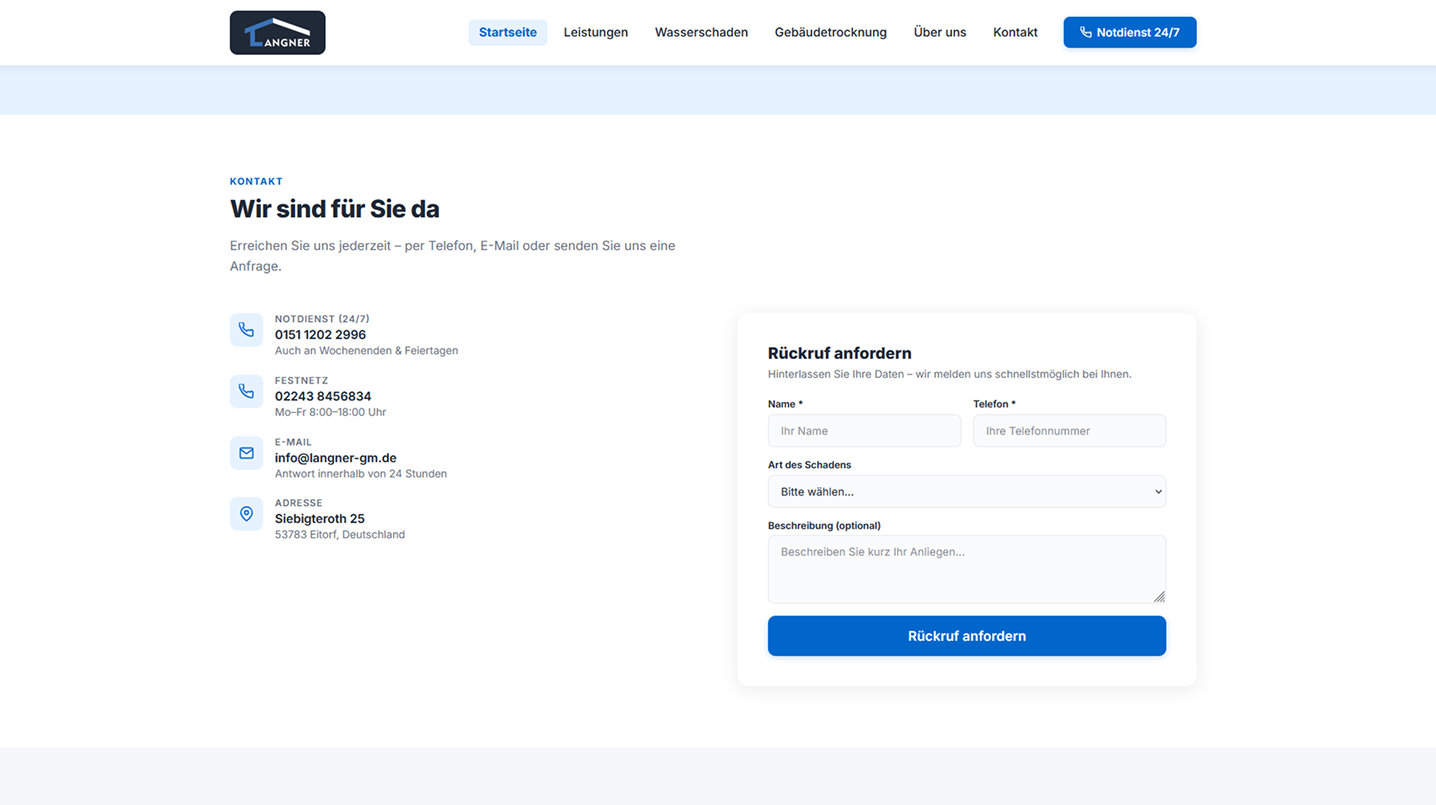
Visual proof — the final design in full quality.
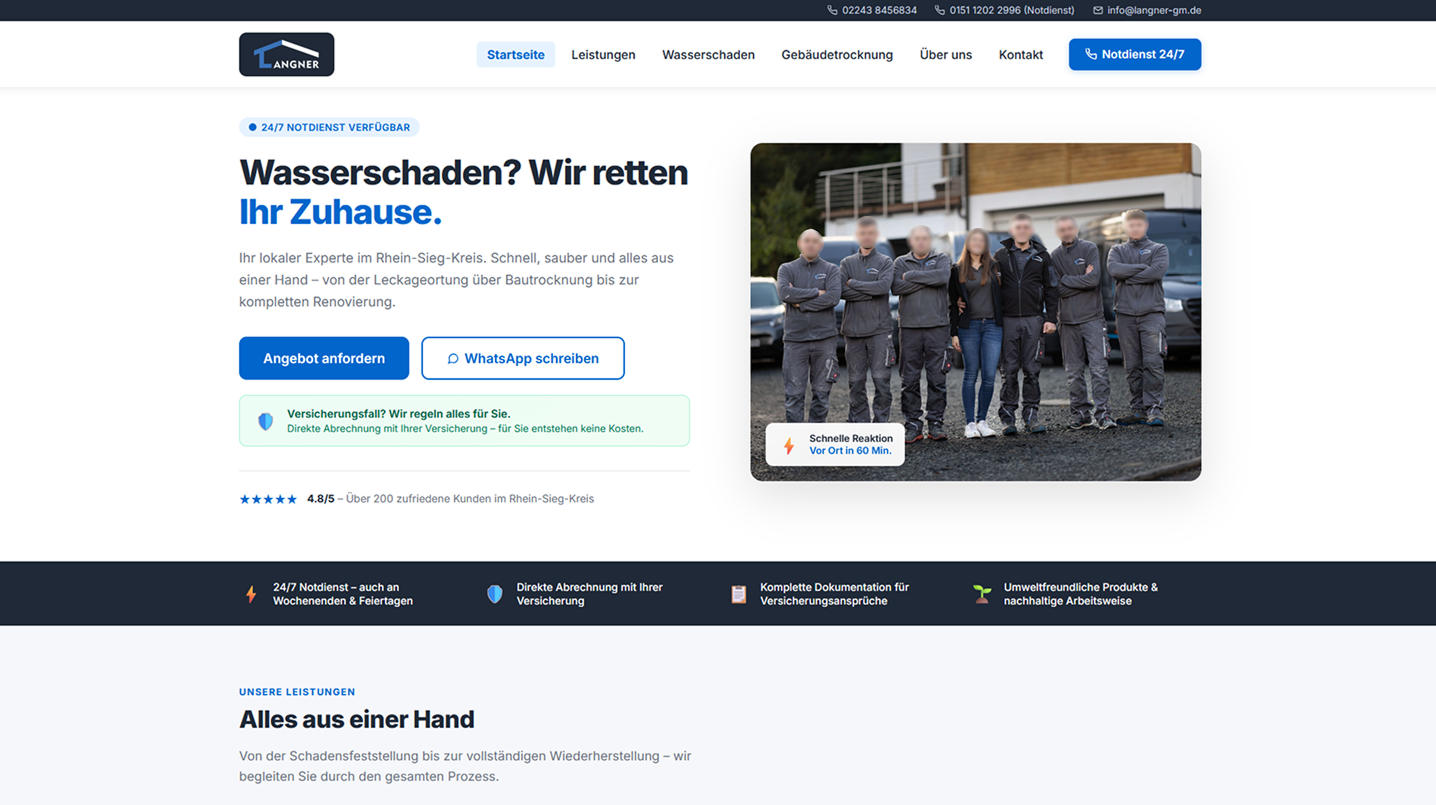
Hero Section
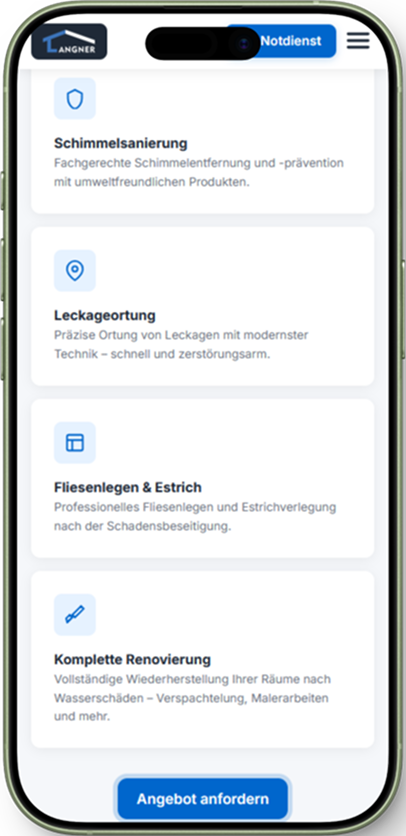
Service Structure
Contact Area
Kontakt & Footer
08 · Mobile Experience

Mobile Experience

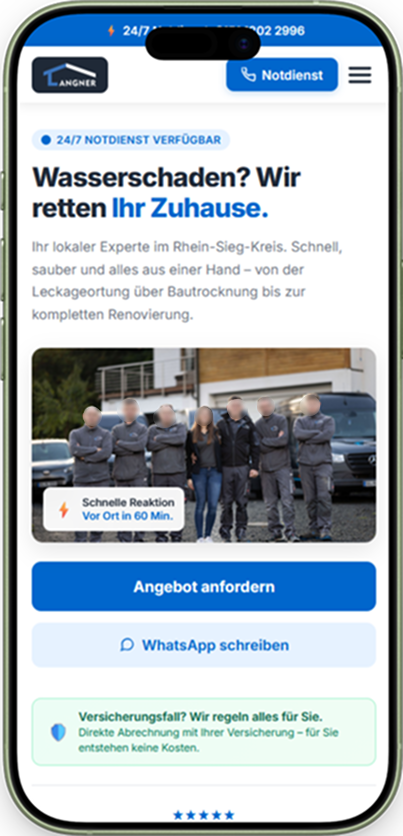
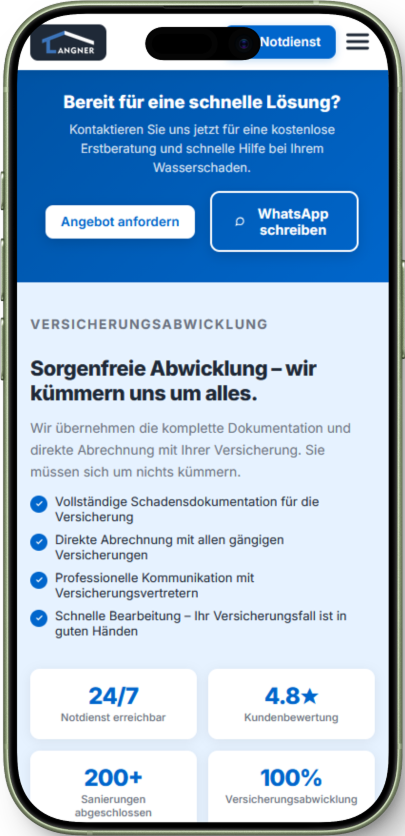
The website was redesigned with a mobile-first UX approach to ensure fast access to services and contact options.
Approach
Mobile-First Design
Contact
1 Tap entfernt
Performance
Optimierte Ladezeit
09 · Product Communication

Product Communication

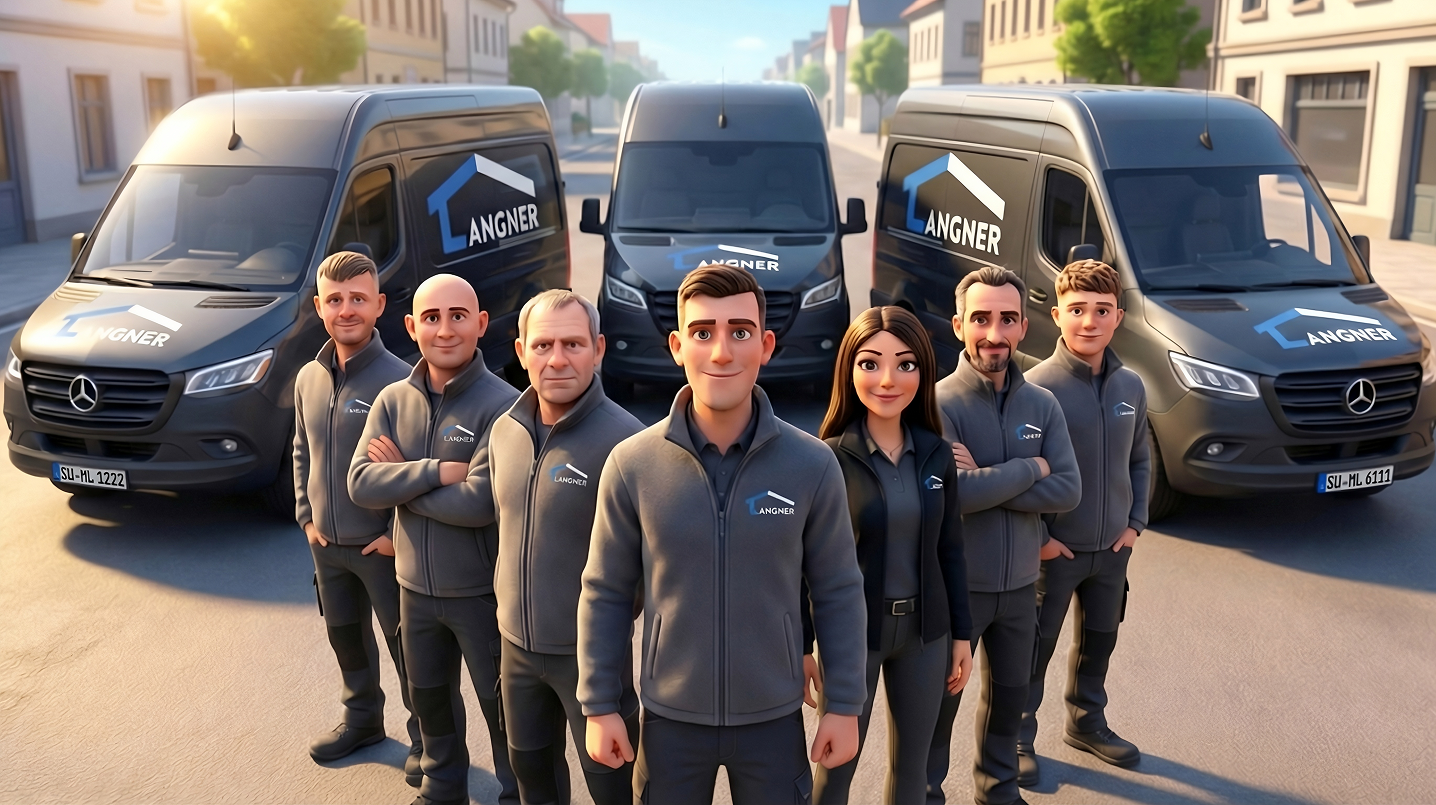
To support the overall communication of the business, a short promotional video was created. The goal was to give potential customers a clear and immediate understanding of the company, its services and how the process works — especially in urgent situations like water damage.
Langner GM Website Redesign
// Promo Video — Langner GM
10 · Impact

Delivered Value

The redesign focused on improving clarity, trust and conversion through better structure and positioning.

Improved Conversion Clarity
Clear service structure and focused call-to-actions make it easier for users to understand what to do next without confusion.
Reduced Contact Friction
Simplified navigation and prominent contact options help users reach out faster, especially in urgent situations.
Stronger Information Hierarchy
Content is structured into logical sections, allowing users to quickly identify relevant services and key information.
Mobile-First Experience
The interface is optimized for mobile usage, ensuring fast access to services and contact options on smaller screens.

Discuss a Project

Let's find out together how UX and clear information architecture can improve your product.

Start Strategy Session